
Database Connectivity
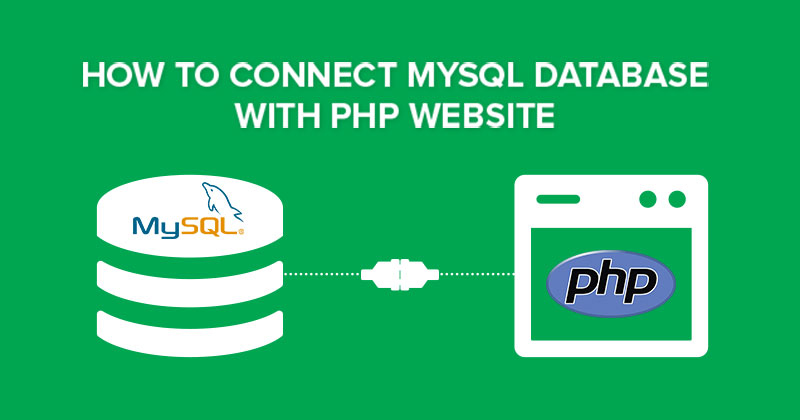
Bringing MySQL to the web:-
- A software tool to bring MySQL to the Web.
- PhpMyAdmin is one of the most popular applications for MySQL databases management.
- It is a free tool written in PHP.
- Through this software you can create, alter, drop, delete, import and export MySQL database tables.
- You can run MySQL queries, optimize, repair and check tables, change collation and execute other database management commands.
Features of phpMyAdmin:-
- Provide web interface
- Support for most MySQL features:
- Import data from CSV and SQL
- Export data to various formats: CSV, SQL, XML, PDF, OpenDocument
Text and Spreadsheet, Word, LATEX and others
- Administering multiple servers
- Creating graphics of your database layout in various formats
- Creating complex queries using Query-by-example (QBE)
- Searching globally in a database or a subset of it
- Transforming stored data into any format using a set of predefned
functions
- Live charts to monitor MySQL server activity like connections,
processes, CPU/memory usage, etc.
- Working with diferent operating systems.
How To Open PHP MY ADMIN:-

An Introduction and use of Mysqli Database with PHP:-
PHP Mysqli
- PHP MySQLi = PHP MySQL Improved!
- The MySQLi functions allows you to access MySQL database servers.
- Note: The MySQLi extension is designed to work with MySQL version 4.1.13 or
newer.
What is Extension:-
- In the PHP documentation you will come across another term - extension.
- The PHP code consists of a core, with optional extensions to the core functionality. PHP's MySQL-related extensions, such as the mysqli extension, and the mysql extension, are implemented using the PHP extension framework.
- An extension typically exposes an API to the PHP programmer, to allow its facilities to be used programmatically.
- However, some extensions which use the PHP extension framework do not expose an API to the PHP programmer.
- There are three main API options when considering connecting to a MySQL
database server:
● PHP's MySQL Extension
● PHP's mysqli Extension
● PHP Data Objects (PDO)
Mysqli Extension:-
- The mysqli extension, or as it is sometimes known, the MySQL improved extension, was developed to take advantage of new features found in MySQL systems versions 4.1.3 and newer.
- The mysqli extension is included with PHP versions 5 and later.
- The mysqli extension has a number of benefts, the key enhancements over the mysql extension being:-
● Object-oriented interface
● Support for Prepared Statements
● Support for Multiple Statements
● Support for Transactions
● Enhanced debugging capabilities
● Embedded server support
Mysqli Functions:-
mysqli_connect()
- The mysqli_connect() function opens a new connection to the MySQL server.
Syntax:-
mysqli_connect(host,username,password,dbname,port,socket);
Example
$con =
mysqli_connect("localhost","my_user","my_password","my_db");
mysqli_close()
- The mysqli_close() function closes a previously opened database
connection.
Syntax:-
- mysqli_close(connection);
- Example
- mysqli_close($con);
mysqli_query()
- The mysqli_query() function performs a query against the database.
Syntax:-
mysqli_query(connection,query,resultmode);
Example
- mysqli_query($con,"SELECT * FROM Persons");
- mysqli_query($con,"INSERT INTO Persons (FirstName,LastName,Age) VALUES ('Glenn','Quagmire',33)");
mysqli_fetch_row()
- The mysqli_fetch_row() function fetches one row from a result-set and returns it as an enumerated array.
Syntax:-
mysqli_fetch_row(result);
Example
// Fetch one and one row
while ($row=mysqli_fetch_row($result))
{
printf ("%s (%s)\n",$row[0],$row[1]);
}
mysqli_connect_error()
- The mysqli_connect_error() function returns the error description from the
last connection error, if any.
Syntax:-
- mysqli_connect_error();
Example
die("Connection error: " .mysqli_connect_error());
mysqli_error()
- The mysqli_error() function returns the last error description for the most recent function call, if any.
mysqli_error(connection);
// Perform a query, check for error
if (!mysqli_query($con,"INSERT INTO Persons
(FirstName) VALUES ('Glenn')"))
{
echo("Error description: " . mysqli_error($con));
}
mysqli_select_db()
- The mysqli_select_db() function is used to change the default database for the
connection.
Syntax:-
mysqli_select_db(connection,dbname);
mysqli_select_db($con,"test");
CHECK OUT OUR ALL PHP BASIC DETAILS:-
1)
2)
3)
4)
5)
6)
7)
8)
9).


0 Comments